From offline editing to AI 2.0: The Platform’s “Generational Leap” for 2026 is very promising, especially for Filipino creatives.
In the era before instant editing, creative elements had to be painstakingly sourced from personal devices, search engines, and various websites. Some were even drawn from scratch to add a necessary personal touch. But as the digital age blooms, the need for a singular, creative platform to curate masterpieces has become essential. At Canva, the well-known online design and publishing tool is doing the heavy lifting through an expansive collection of templates and elements.
During the recent Canva Create keynote livestream, held at the YouTube Theater in Hollywood Park, Los Angeles, the platform announced its newest features and introduced a “generational leap forward.” From AI-powered tools to features that cater to students, teachers, and professionals alike, Canva is doubling down on its mission to empower the world to design.
Fulfilling the Filipino creative wishlist
For the Filipino creative, the most requested feature has finally arrived: offline editing. Addressing the persistent challenge of signal drops, host JD explained that this update ensures uninterrupted productivity. “Once you’re offline, you can keep editing. You can write some new copy, add another page, or add an image,” he shared.
The system allows designs saved for offline use to survive independently of an unstable connection. The moment a user is back online, Canva syncs and saves changes instantly. By clicking the cloud icon and selecting “Make available offline,” users can now save data and enjoy a smoother editing experience regardless of their location.
Professional tools for all
Beyond offline capabilities, Canva has integrated high-end professional tools and simplified workflows to help users find their niche in style and branding:
Pro Designer via Affinity & Cavalry
These professional-grade tools are now accessible for free on Mac and Windows. While Affinity brings precision to layouts, Cavalry offers animation software for crafting studio-grade motion designs.
Learn Grid
Learn Grid is an independent learning feature that gives ready-to-teach resources for students and teachers, and it allows them to engage in interactive AI-powered activities. Users can search by country, subject, or grade, where they can find ready-made materials.
Components
Components serve as Canva’s reusable design elements that can be created and readily used across designs. These components can be updated and customized for use.
While this tool can maximize its potential to curate on-brand designs, its usage can be limited, as all paid users with edit access can create components, while other users can use the publish to brand kit, add component instances, apply customizations, and view components.
The Power of AI
Magic Video 2.0 and AI Video Effects allow users to turn raw clips and photos into polished scenes in seconds. This is complemented by Caption Styles, which automatically generate and animate text overlays for better accessibility.
Visual Clarity
The new Image Upscaler transforms low-resolution, blurred images into sharp visuals, consolidating previous adjustment tools into one seamless feature.
Brand Intelligence
Tools like the Personal Brand Kit and Stylized Graphics (including “Styles Match” for 30, Sketch, or Cartoon effects) ensure that individual and team assets remain consistent and on-brand.
Image Upscaler
A raw, blurred image can achieve clarity now that images can be easily edited in Canva using the Image Upscaler. The uploaded low-resolution images from Canva’s photo editor can transform into sharp, high-quality visuals.
A greener way to print
Melissa Tan, Canva’s Head of Print, introduced a feature that turns digital ideas into something that can be “held by hand.” The Canva Print Shop allows users to customize designs and have them delivered straight to their preferred address.
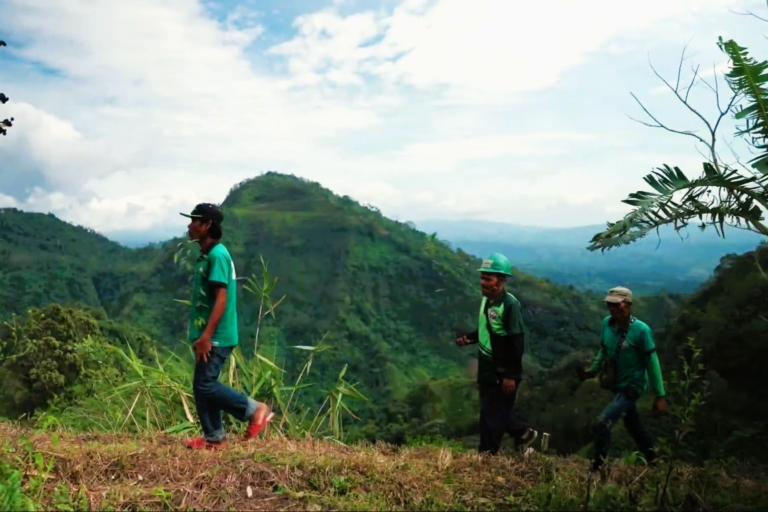
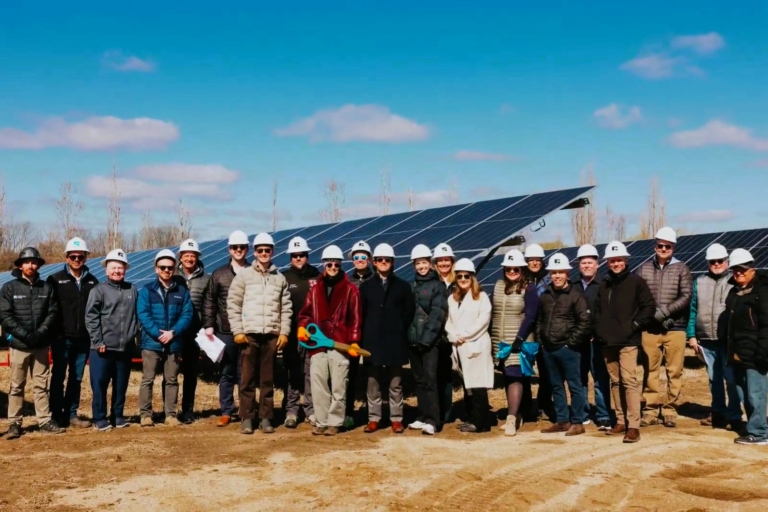
Crucially, this comes with a “One Print, One Tree” initiative. “For every print order placed, we plant a tree across our restoration sites in countries like Malawi, Tanzania, and the Philippines,” Melissa noted. With 16 million trees already planted and support for solar farms in the US and Canada, the platform is taking significant steps toward a net-zero goal.
The dawn of Canva AI 2.0
Founders Melanie Perkins, Cliff Obrecht, and Cameron Adams concluded by teasing Canva AI 2.0. This improved version functions as a true creative partner, utilizing features like conversational design and agentic orchestration. Users can now collaborate with AI by inputting ideas through prompts, which the AI then uses to generate and refine designs.
Launched in 2013, Canva now serves over 220 million monthly active users across 190 countries. By continuing to deliver on user wishes, it remains the go-to platform for anyone looking to bring their imagination to life.
Mastering Canva 2.0 in 2026
Ready to upgrade your workflow? Here is how to use the new features today:
- Enable Offline Mode Early: Don’t wait for the Wi-Fi to die. Click the cloud icon on your most important projects and toggle “Make available offline” before you head out.
- Use the Image Upscaler for Old Assets: Have low-res photos from 2010? Run them through the image upscaler in the photo editor to prep them for 4K presentations.
- Experiment with Brand Intelligence: Use the Personal Brand Kit to ensure that your “Style Match” (Sketch, 3D, or Cartoon) stays consistent across all your social media posts. Pro-tip: If you are an educator, check the Learn Grid for AI-powered activities that are specifically localized for the Philippine curriculum.
Designing without data? It’s finally here. Canva has launched offline editing alongside its powerhouse AI 2.0 suite, bringing professional tools like Image Upscaling and Magic Video to your pocket.